Know what’s due before it becomes urgent.
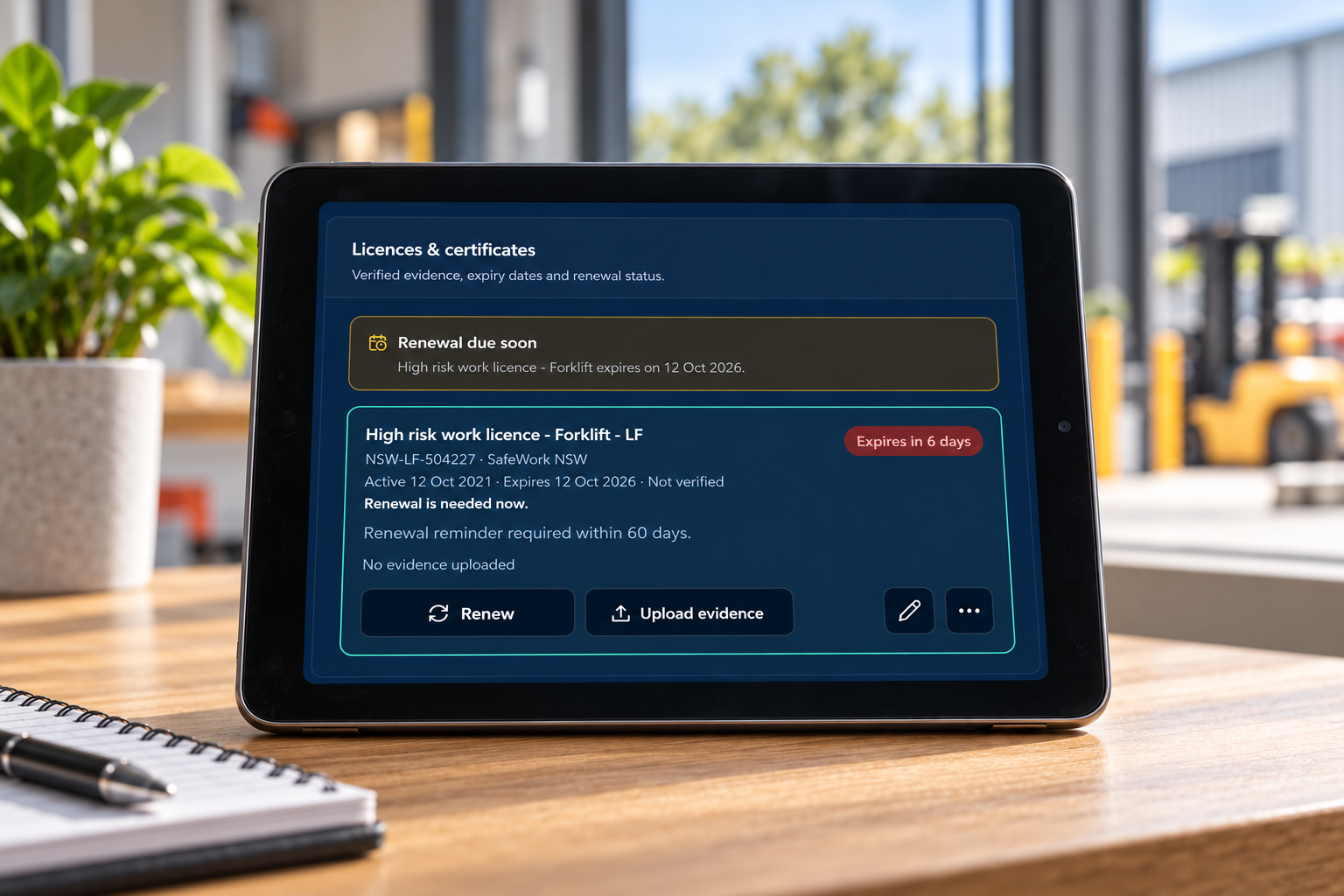
See upcoming licence renewals, reviews and checks with time to act.
A clearer way to manage workplace safety.
See what’s coming due, what’s been done and what still needs attention. Spend less time on admin and chasing updates.
Practical setup and training to get your team started.
See how it works
The problem
Checks in a spreadsheet. Documents in folders. Updates buried in emails.
Bring your WHS records, responsibilities and actions together in one system.
The difference
See upcoming licence renewals, reviews and checks with time to act.
Set the schedule, assign the person and track completion.
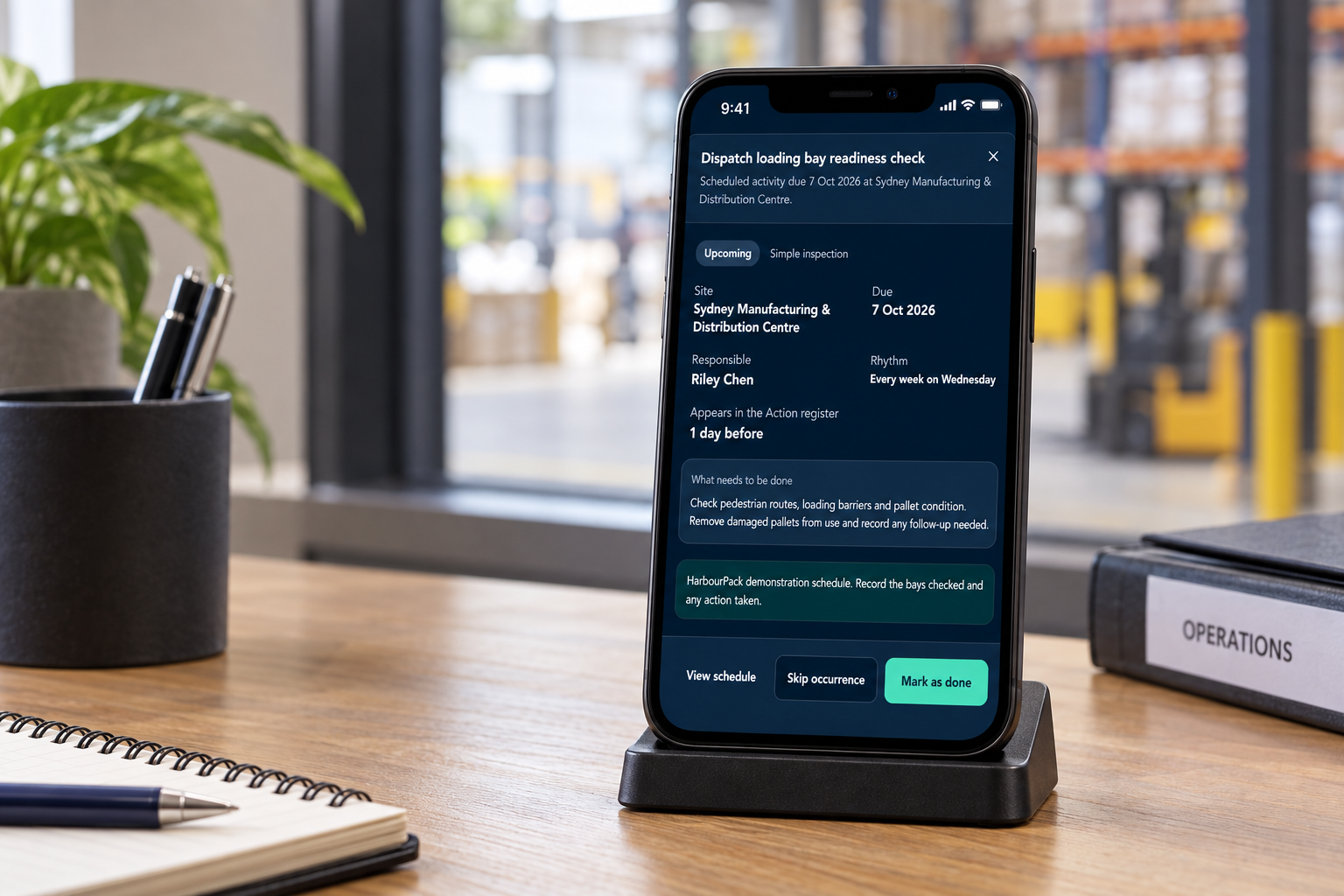
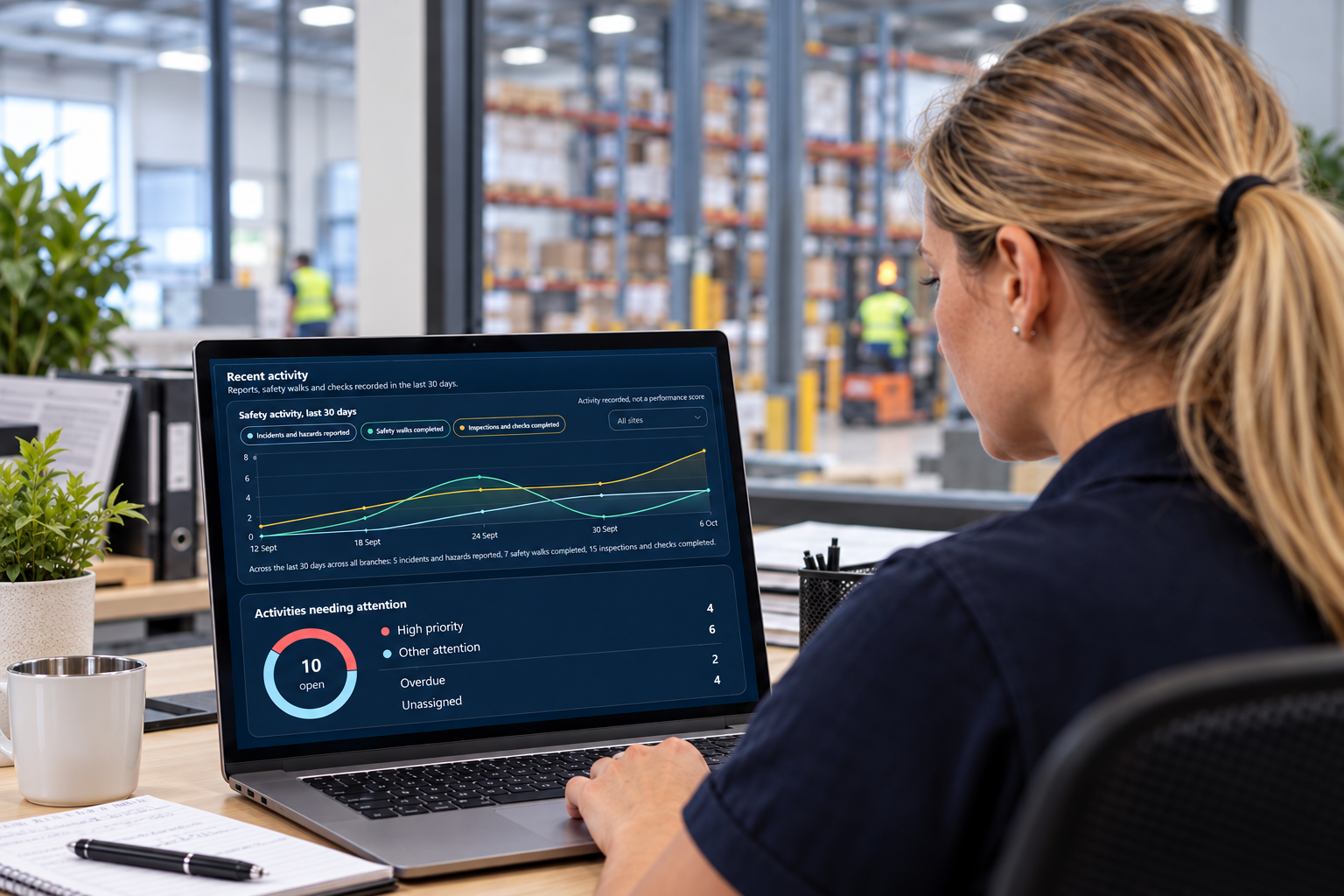
Review recorded checks and see what is still outstanding.
Tasks stay in the Action register until addressed and closed out.
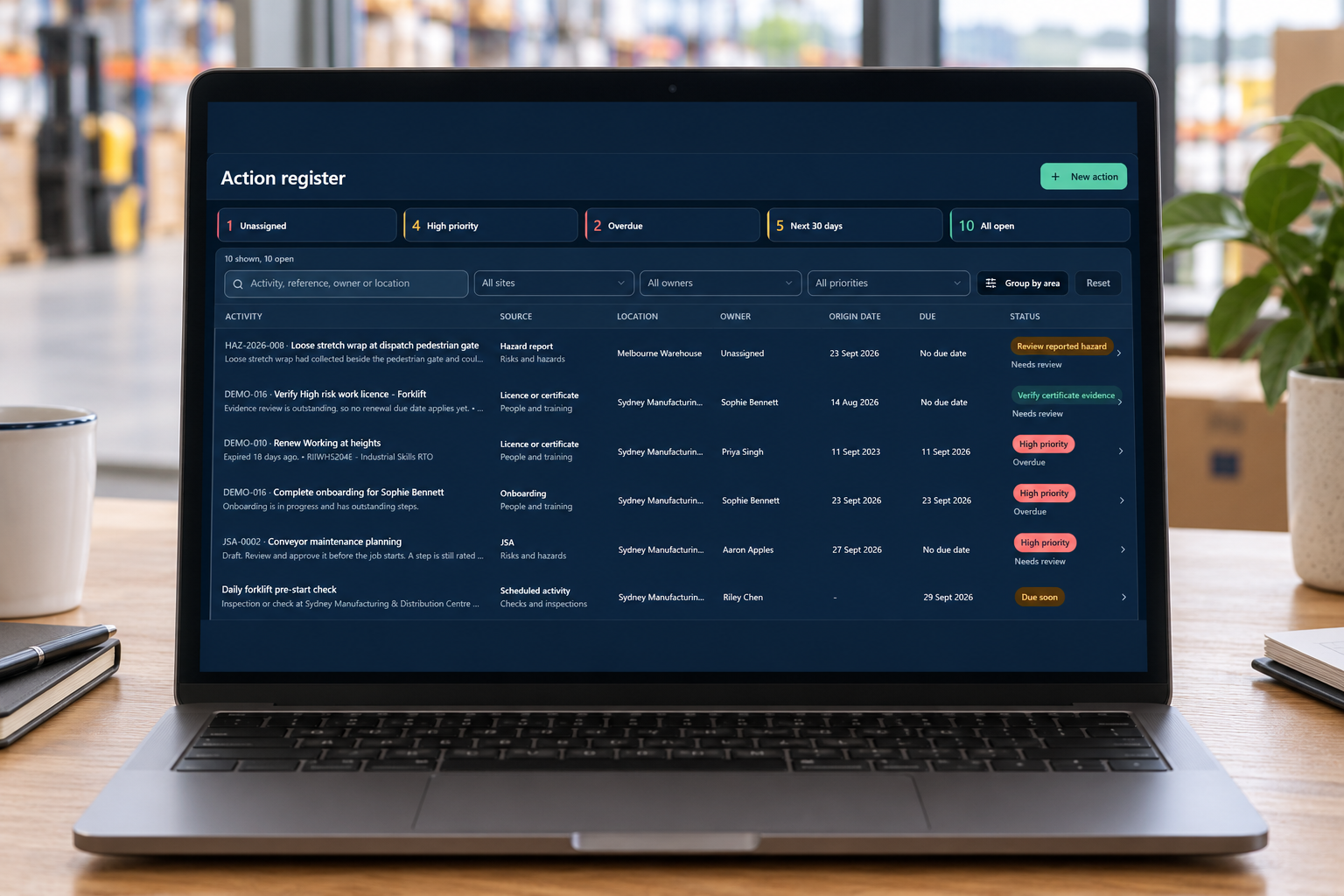
Workplace images illustrate the product in use. Enlarged product screens show actual WHS One demonstration records.
A guided start
We configure WHS One around your operations and train your team to use it.

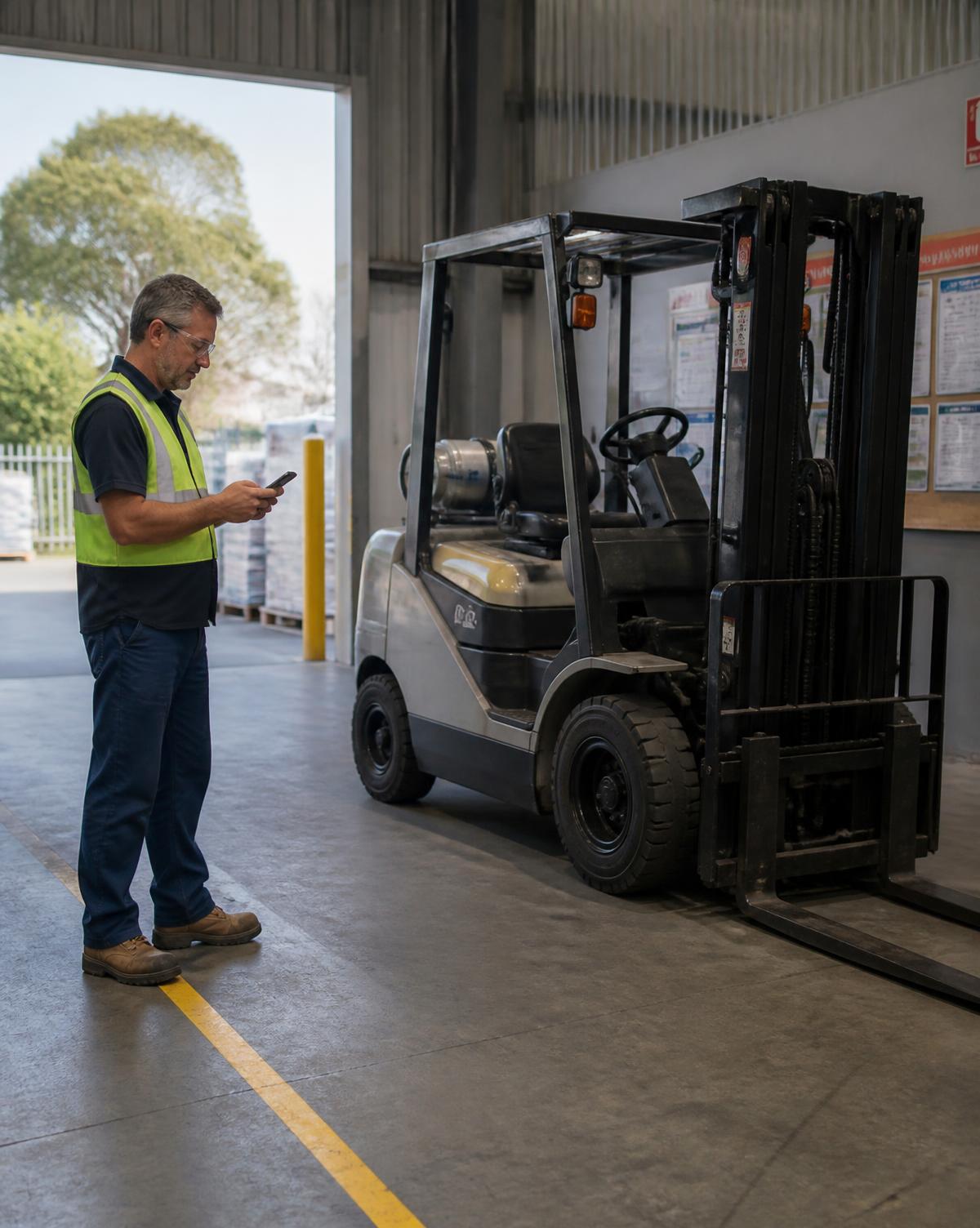
On the floor
Open the right pre-start or inspection beside the equipment. Record issues while the details are fresh.
Less searching for forms. A clearer record of what happened next.
What you can manage
Manage policies and procedures with owners and review dates.
Record hazards, assess risks and track the controls in place.
Record incidents and near misses, then manage corrective actions to completion.
Find induction, licence, toolbox talk and refresher records in one place.
Complete inspections and pre-starts where the work happens.
Keep structured registers with owners and scheduled reviews.
Why WHS One
WHS One grew from managing workplace safety alongside day-to-day operations in Australian manufacturing, warehousing and distribution.
It was shaped by the same problem many managers face: keeping policies, registers and follow-up connected while running the business.
Individual accounts. Role-based access. Administrator multi-factor authentication. Daily backups of records and uploaded files.
Read about security
Straightforward pricing
Subscription
From $199/ month
Keep your safety records, scheduled work and actions together. Standard product support is included.
Setup and training
From $1,495once
We configure your system, import agreed core information and train your team to get started.
Subscription plus one-off setup. Prices are in AUD and exclude GST. Your quote reflects your business size and agreed setup needs. We confirm the scope and price before work begins.
System configuration and practical training. Your team organises its documents and manages the ongoing safety work.
Foundation plus agreed remote help with documents, workflows or additional training.
Agreed setup, document work, training and launch support at your workplace. Travel and expenses are confirmed in your quote.
Before work starts, we agree what we will provide, what we need from you, how the work will be reviewed, the timing and the price. Your business approves the work and remains responsible for putting it into practice. See our Help and support information.
Request a demoCommon questions
Questions about support, exporting records or closing your account?
Help and supportTake the next step
We will walk you through the system, discuss your current setup and explain the help available to get started. We will respond within two business days to arrange the next step.
Prefer email? Write to support@whsone.com.au.